Notices
Member's Gallery Pictures of your pride and joy

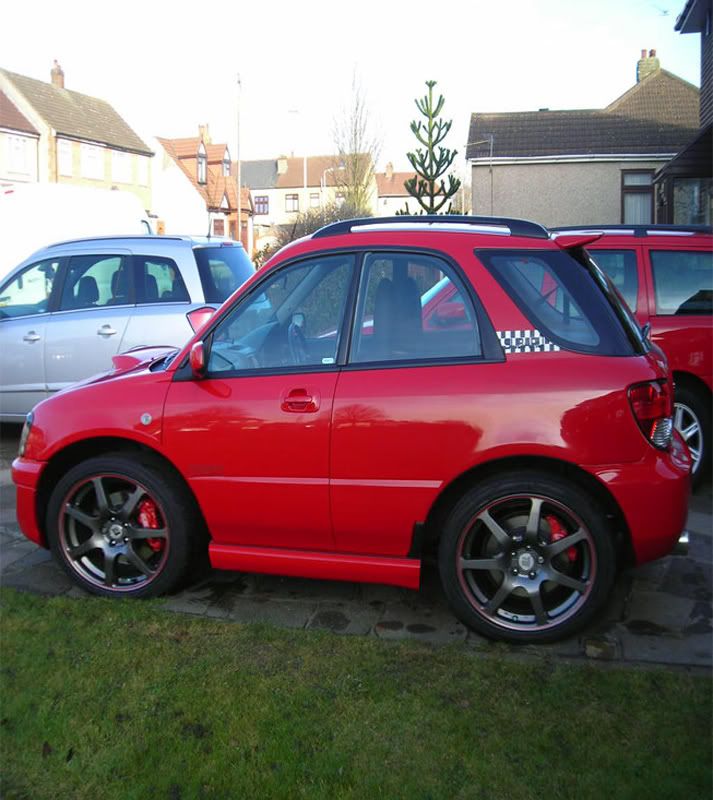
Photoshop squish my WRX please :)

Old Jan 11, 2009 | 09:25 PM
  #361  
bioforger's Avatar
bioforger
Scooby Regular
iTrader: (1)
 
Joined: Jan 2002
Posts: 16,995
Likes: 5
From: Pig Hill, Wiltsh1te
Default

fair enough mate, here u are,

Name:  Scoobydudey-1.jpg
Views: 0
Size:  100.5 KB
Reply
Old Jan 11, 2009 | 09:27 PM
  #362  
The Dogs B******s's Avatar
The Dogs B******s
Scooby Regular
 
Joined: May 2007
Posts: 13,707
Likes: 1
From: Over Here
Default

Originally Posted by bioforger
fair enough mate, here u are,

How the f*ck do you do that? Would love to see my scooby like that
Reply
Old Jan 11, 2009 | 09:32 PM
  #363  
Scoobydudey's Avatar
Scoobydudey
Scooby Regular
iTrader: (4)
 
Joined: Dec 2008
Posts: 457
Likes: 0
From: Scuttling Around Essex
Default

A real big thanks mate that looks the **** gonna use it as my desktop background Genius
Reply
Old Jan 11, 2009 | 10:00 PM
  #364  
bioforger's Avatar
bioforger
Scooby Regular
iTrader: (1)
 
Joined: Jan 2002
Posts: 16,995
Likes: 5
From: Pig Hill, Wiltsh1te
Default

Originally Posted by The Dogs B******s
How the f*ck do you do that? Would love to see my scooby like that
Have a look on page1 mate Here's yours, some gfx had to be sacrificed

Name:  TheDogsBs.jpg
Views: 0
Size:  109.9 KB
Reply
Old Jan 16, 2009 | 05:24 PM
  #365  
scoobian's Avatar
scoobian
Scooby Regular
 
Joined: Dec 2006
Posts: 743
Likes: 0
From: sunny north east
Default

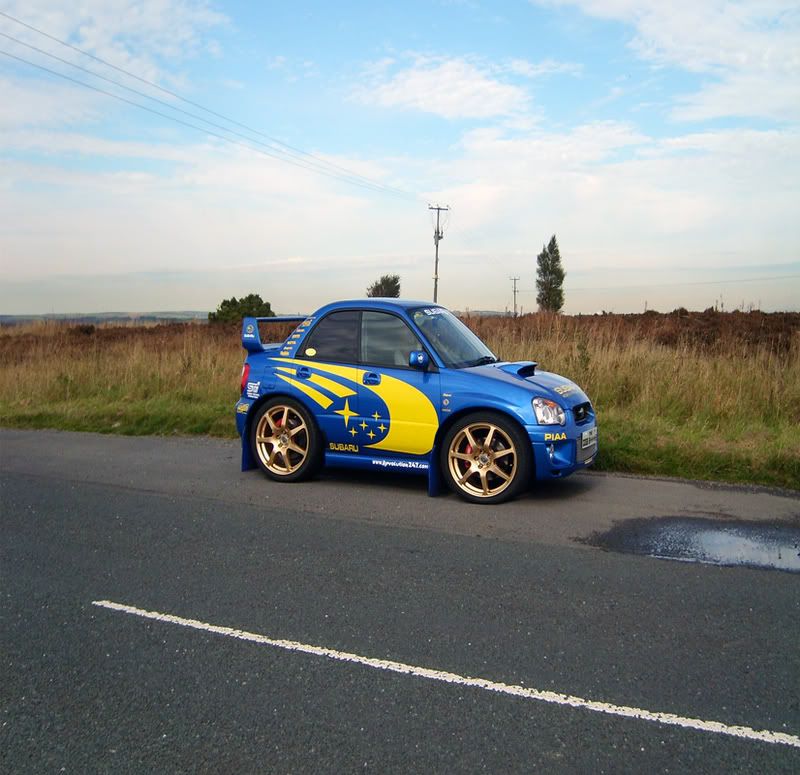
my first attempt (crappy photo but it was handy) -the walkthru works fine, thanks! (once I'd learnt how to make multiple selections)
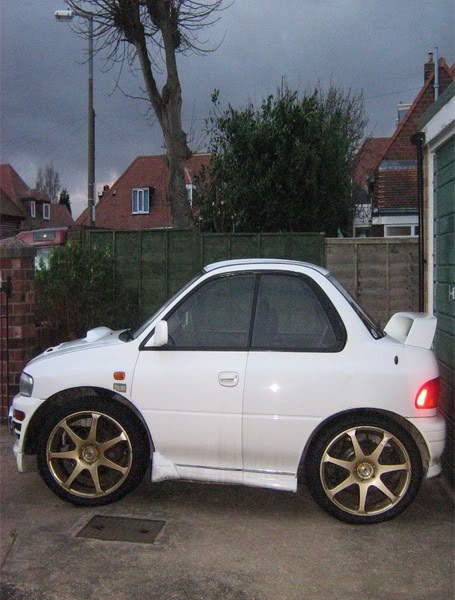
Name:  IMG_1234stumpy.jpg
Views: 0
Size:  63.6 KB
oddly, the original photo now looks stretched!!!

Last edited by scoobian; Jan 16, 2009 at 05:47 PM. Reason: photo improved
Reply
Old Jan 16, 2009 | 06:39 PM
  #366  
The Dogs B******s's Avatar
The Dogs B******s
Scooby Regular
 
Joined: May 2007
Posts: 13,707
Likes: 1
From: Over Here
Default

Originally Posted by bioforger
Have a look on page1 mate Here's yours, some gfx had to be sacrificed

Many thanks
Reply
Old Mar 23, 2009 | 08:56 PM
  #367  
bioforger's Avatar
bioforger
Scooby Regular
iTrader: (1)
 
Joined: Jan 2002
Posts: 16,995
Likes: 5
From: Pig Hill, Wiltsh1te
Default

Name:  ChrisB.jpg
Views: 0
Size:  118.6 KB
Reply
Old Mar 23, 2009 | 09:53 PM
  #368  
JonMc's Avatar
JonMc
Scooby Senior
iTrader: (51)
 
Joined: Nov 2005
Posts: 20,491
Likes: 2
From: Wherever I park my car, that's my home
Default

Some awesome work there

Fancy doing another

Reply
Old Mar 23, 2009 | 10:18 PM
  #369  
bioforger's Avatar
bioforger
Scooby Regular
iTrader: (1)
 
Joined: Jan 2002
Posts: 16,995
Likes: 5
From: Pig Hill, Wiltsh1te
Default

Name:  JonMc.jpg
Views: 0
Size:  75.0 KB
Reply
Old Mar 23, 2009 | 10:21 PM
  #370  
JonMc's Avatar
JonMc
Scooby Senior
iTrader: (51)
 
Joined: Nov 2005
Posts: 20,491
Likes: 2
From: Wherever I park my car, that's my home
Default

Cheers bud, looks cools
Reply
Old Mar 29, 2009 | 01:11 PM
  #371  
gojonnyjo's Avatar
gojonnyjo
Scooby Regular
iTrader: (1)
 
Joined: Jul 2006
Posts: 1,003
Likes: 0
From: Portadown
Default

they are 1st class m8, cud you do mine for me plzzzzzzzzzzzzzzzzzz
Name:  PIC_1523.jpg
Views: 0
Size:  70.3 KB
Reply
Old Mar 29, 2009 | 01:12 PM
  #372  
gojonnyjo's Avatar
gojonnyjo
Scooby Regular
iTrader: (1)
 
Joined: Jul 2006
Posts: 1,003
Likes: 0
From: Portadown
Default

or wud ya need a more side on pic... will get 1 sorted
Reply
Old Mar 29, 2009 | 08:30 PM
  #373  
bioforger's Avatar
bioforger
Scooby Regular
iTrader: (1)
 
Joined: Jan 2002
Posts: 16,995
Likes: 5
From: Pig Hill, Wiltsh1te
Default

yep, but ive done it anyway,

Name:  gojonnyjo.jpg
Views: 0
Size:  80.1 KB
Reply
Old Mar 29, 2009 | 08:46 PM
  #374  
jaywrxsti's Avatar
jaywrxsti
Scooby Regular
 
Joined: May 2008
Posts: 799
Likes: 0
From: halesworth
Default

can you do mine sir when you have a chance thanks j
[IMG][/IMG]
Reply
Old Mar 29, 2009 | 08:51 PM
  #375  
Scooby_Stu_'s Avatar
Scooby_Stu_
Scooby Regular
iTrader: (12)
 
Joined: Aug 2008
Posts: 1,098
Likes: 0
From: Solihull
Default

These are wicked m8, can you do mine please.

Reply
Old Mar 29, 2009 | 09:40 PM
  #376  
bioforger's Avatar
bioforger
Scooby Regular
iTrader: (1)
 
Joined: Jan 2002
Posts: 16,995
Likes: 5
From: Pig Hill, Wiltsh1te
Default

Name:  jaywrxsti-3.jpg
Views: 0
Size:  176.9 KB
Name:  Scooby_Stu.jpg
Views: 0
Size:  169.9 KB
Reply
Old Mar 29, 2009 | 09:52 PM
  #377  
jaywrxsti's Avatar
jaywrxsti
Scooby Regular
 
Joined: May 2008
Posts: 799
Likes: 0
From: halesworth
Default

cheers bio thats brilliant j
Reply
Old Mar 30, 2009 | 06:55 PM
  #378  
sti-chris's Avatar
sti-chris
Scooby Regular
20 Year Member
Liked
 
Joined: Oct 2005
Posts: 606
Likes: 2
From: united kingdom
Default

LOL This is the best post on SN!!

Please can you do mine.

Reply
Old Mar 30, 2009 | 07:38 PM
  #379  
bioforger's Avatar
bioforger
Scooby Regular
iTrader: (1)
 
Joined: Jan 2002
Posts: 16,995
Likes: 5
From: Pig Hill, Wiltsh1te
Default

Yep,
Name:  sti-chris.jpg
Views: 0
Size:  188.2 KB
Reply
Old Mar 30, 2009 | 08:14 PM
  #380  
spleenmachine's Avatar
spleenmachine
Scooby Regular
 
Joined: Mar 2007
Posts: 173
Likes: 0
Default

I dunno If your sick of doing them yet, probably

But can you pleeeeeeeeeeeeease do my Scooby,

Pretty please with a Cherry on top

Name:  SDC10271.jpg
Views: 0
Size:  186.9 KB

Name:  SDC10277.jpg
Views: 0
Size:  160.5 KB


Reply
Old Mar 30, 2009 | 08:21 PM
  #381  
bioforger's Avatar
bioforger
Scooby Regular
iTrader: (1)
 
Joined: Jan 2002
Posts: 16,995
Likes: 5
From: Pig Hill, Wiltsh1te
Default

Not without a sideon shot no.
Reply
Old Mar 30, 2009 | 08:27 PM
  #382  
spleenmachine's Avatar
spleenmachine
Scooby Regular
 
Joined: Mar 2007
Posts: 173
Likes: 0
Default

Hope this ones ok, Its the only side shot I've got

Name:  myscoobystuckinsnow.jpg
Views: 0
Size:  76.6 KB

Last edited by spleenmachine; Mar 30, 2009 at 08:30 PM.
Reply
Old Mar 30, 2009 | 08:30 PM
  #383  
bioforger's Avatar
bioforger
Scooby Regular
iTrader: (1)
 
Joined: Jan 2002
Posts: 16,995
Likes: 5
From: Pig Hill, Wiltsh1te
Default

Why dont u take another tomorrow or sommat? That one won't come out too good either.
Reply
Old Mar 30, 2009 | 08:32 PM
  #384  
spleenmachine's Avatar
spleenmachine
Scooby Regular
 
Joined: Mar 2007
Posts: 173
Likes: 0
Default

I've edited post with same pic but bigger

if its still no good I'll sort a better one tomorrow,


thanks
Reply
Old Mar 30, 2009 | 08:49 PM
  #385  
sti-chris's Avatar
sti-chris
Scooby Regular
20 Year Member
Liked
 
Joined: Oct 2005
Posts: 606
Likes: 2
From: united kingdom
Default

Fella thanks very much for doing my car it looks great.

Can i be a pain and ask for a little novice help , i have obtained CS3 , and went thru your advice on page 1.

Select each wheel with the Polygon lasso tool.
Take a small part of the arch n surrounding area around the wheels to.
Copy n paste the selections to new layers.
Duplicate the main picture to a new layer.
Transform the copy (CTRL+T) n resize to roughly half the width.

i can get up to this point fine , but i cant get the wheels back on ?
i end up with 4 layers , the origional , front wheel , back , wheel and the copy all squashed down but i can get the wheels to drag over the copy?

can you give me a little more advice ,


Select your wheel layers n move them over the above resized pic.
Tidy up overlapping areas with eraser/selection tool.
Hide the original pic in layers. Flatten the image n delete the hidden layer.
Crop your result to tidy it up.
Resize to 640 X whatever so its nice n smooth on snet


thanks again .

Chris.

Last edited by sti-chris; Mar 30, 2009 at 08:50 PM.
Reply
Old Mar 30, 2009 | 09:07 PM
  #386  
bioforger's Avatar
bioforger
Scooby Regular
iTrader: (1)
 
Joined: Jan 2002
Posts: 16,995
Likes: 5
From: Pig Hill, Wiltsh1te
Default

I can work with that

Name:  spleenmachine.jpg
Views: 0
Size:  77.8 KB
Reply
Old Mar 30, 2009 | 09:10 PM
  #387  
spleenmachine's Avatar
spleenmachine
Scooby Regular
 
Joined: Mar 2007
Posts: 173
Likes: 0
Default

thats awesome mate thanks alot
Reply
Old Mar 30, 2009 | 09:13 PM
  #388  
bioforger's Avatar
bioforger
Scooby Regular
iTrader: (1)
 
Joined: Jan 2002
Posts: 16,995
Likes: 5
From: Pig Hill, Wiltsh1te
Default

Originally Posted by sti-chris
Fella thanks very much for doing my car it looks great.

Can i be a pain and ask for a little novice help , i have obtained CS3 , and went thru your advice on page 1.

i can get up to this point fine , but i cant get the wheels back on ?
i end up with 4 layers , the origional , front wheel , back , wheel and the copy all squashed down but i can get the wheels to drag over the copy?

can you give me a little more advice ,


thanks again .

Chris.
Press V mate (move tool) or click the icon. Then use the mouse to drag the wheel layers to about the right area over the duped squished main pic, then use the arrow keys to get it spot on. You can use SHIFT and cursor keys for larger adjustments to. Also CTRL-T the wheels again, as you may need to resize them to get the perspective to look right.

Oh and I lowered yours as well as it looked sweet

Last edited by bioforger; Mar 30, 2009 at 09:19 PM.
Reply
Old Mar 30, 2009 | 11:40 PM
  #389  
sti-chris's Avatar
sti-chris
Scooby Regular
20 Year Member
Liked
 
Joined: Oct 2005
Posts: 606
Likes: 2
From: united kingdom
Default

thanks for that help , i'm doing much better now , a little rough around the edges but getting there.
many thanks.

scoobynet T-SHIRTS with squashed cars anyone !!

Chris.
Reply
Old Mar 30, 2009 | 11:45 PM
  #390  
bioforger's Avatar
bioforger
Scooby Regular
iTrader: (1)
 
Joined: Jan 2002
Posts: 16,995
Likes: 5
From: Pig Hill, Wiltsh1te
Default

For the areas that don't match up, overlap etc, use the eraser as much as you can then flatten the image n use the clone/smudge tools to touch up whats left over.

Clone tool can also be used to blend out the door handle after u've copied a selection over the top of it. Smudge tool is also good for blending colours together.
Reply

Thread Tools
Search this Thread

All times are GMT +1. The time now is 02:59 AM.